Patching with Revanced
I end up using Linkedin on Android occasionally for work. The only think I dislike more than its unhinged slop posts, is the incessant ads.
Thought I’d try patching them out with Revanced as an excuse to learn a bit of real-world Android rev.
The Revanced docs are great, I scaffolded a new patch pretty quickly. Only headache was GitHub packages requiring auth for a Maven repo. They really need to support anonymous access, I’ve had the same issues with their NuGet repos.
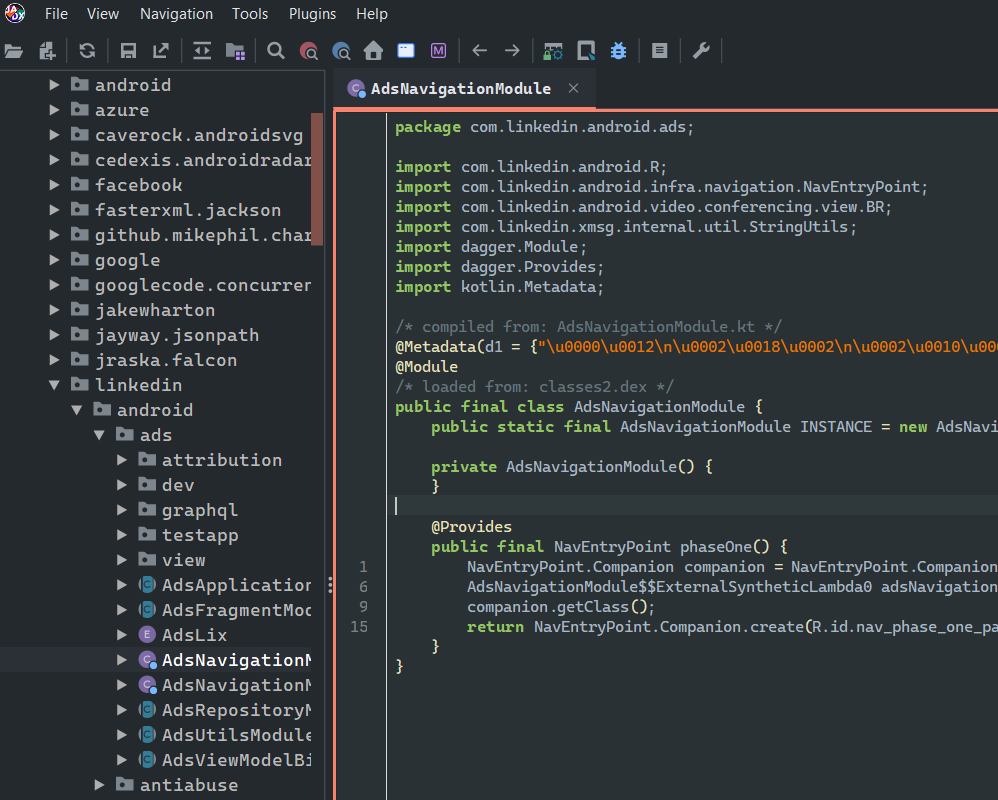
Probably should’ve started with decomp though, that’s the hard part. skylot/jadx did pretty well and even has a nice GUI.
But… I couldn’t find a good flag/function to overwrite. And I don’t want to risk getting my account banned from dynamic analysis.
Probably a skill issue but I learnt a bit on the way, and I’ll send a PR to get jadx added to Winget.
Emulation
Install the Android Studio commandline tools, then
.\cmdline-tools\latest\bin\sdkmanager --install "system-images;android-33;google_apis_playstore;x86_64"
.\cmdline-tools\latest\bin\avdmanager create avd --name android33 --package "system-images;android-33;google_apis_playstore;x86_64"
mkdir platforms && mkdir platform-tools
.\emulator\emulator -avd android33 -qemu -m 3000
I automated some config:
$config =  "$env:USERPROFILE\.android\avd\android33.avd\config.ini"
(Get-Content $config) -replace 'hw.keyboard .*','hw.keyboard = yes' | Set-Content $config
But did these manually
- Dark theme
- Screen size - pixel 5 2340x1080 @ 440ppi
- Screenshot location to pictures instead of desktop
Debugging
Connect via USB or TCP eg adb connect usb
Install apk: adb install "<app>.apk"
Copy file: adb push filepath /sdcard