Administrative XML (ADMX) is an XML-based file format for defining Group Policy settings in Windows, superseding the bespoke ADM format.
They provide a structured way to manage registry-based policy settings, including language resource files (ADMLs) for rendering a user interface.
Active Directory Group Policy Objects (GPOs) or management engines like Intune can often ingest and use ADMX/ADMLs.
Creation
Windows native apps typically use the registry for configuration, unlike Linux and its file-based approach.
A lot of apps provide ADMX/ADML files to simplify admin-driven configuration, but plenty don’t, and admins often end up using PowerShell because ADMX is very painful to write from scratch.
The community has build simpler solutions, like FSLogix admxgen, but they’re usually command-line and tricky to use.
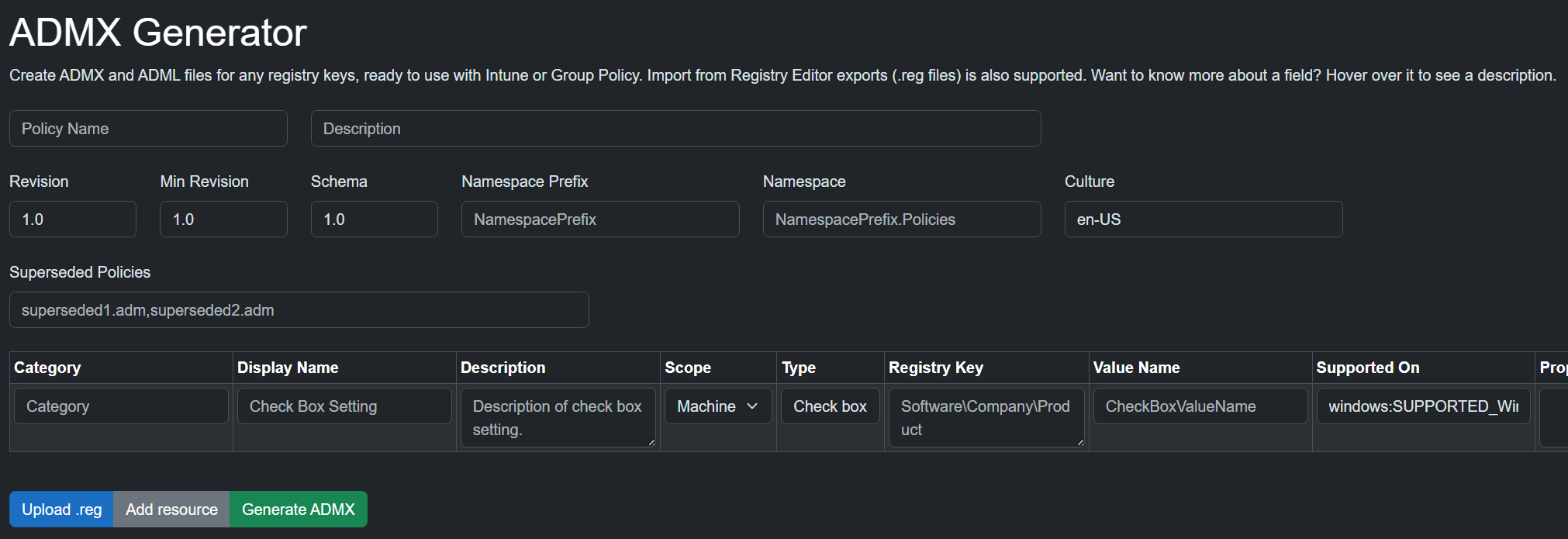
Let’s fix that. We can build an accessible web interface to create the files, based on user input or an exported registry file (.reg).
It’s available here: https://admxgen.tplant.com.au
The generated files can be imported into Intune or added to the Group Policy Central Store.
Registry keys and value names can be added in the UI
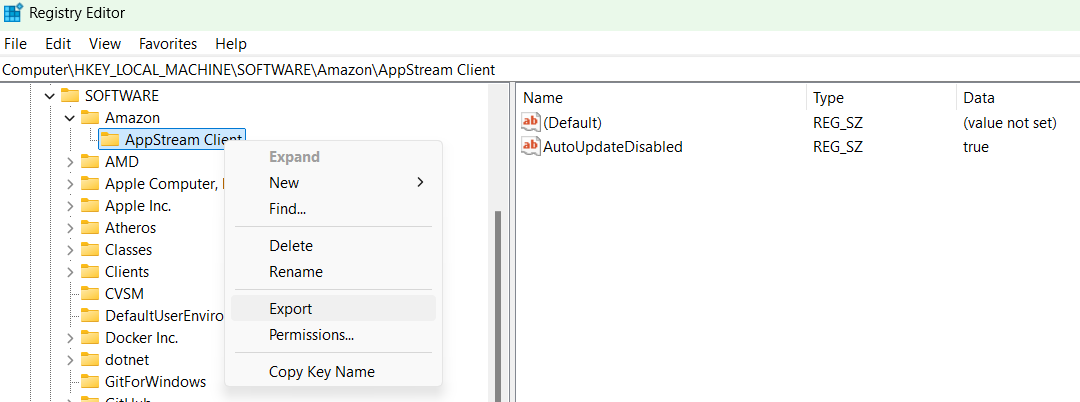
Or by creating them in the Registry Editor, exporting them to a .reg file, and using the “Upload .reg” button
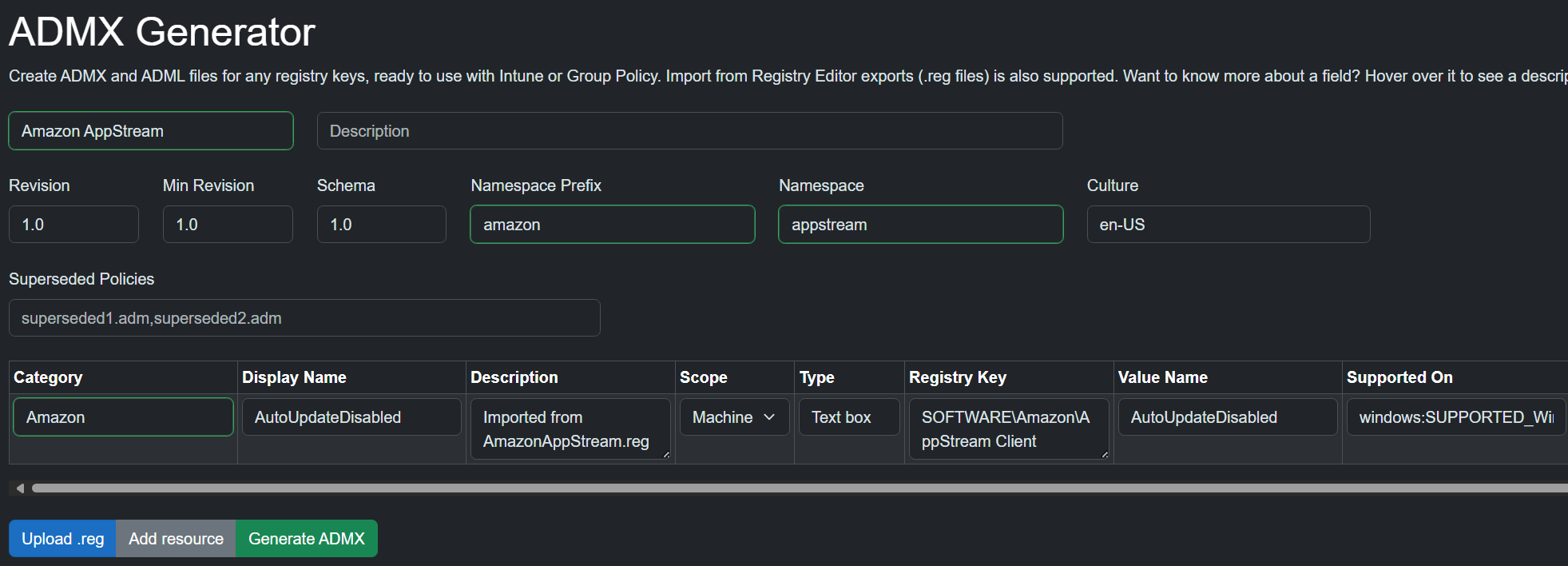
Which generates this ADMX and an en-US ADML
<?xml version="1.0" encoding="utf-8"?>
<policyDefinitions xmlns:xsi="http://www.w3.org/2001/XMLSchema-instance" xmlns:xsd="http://www.w3.org/2001/XMLSchema" revision="1.0" schemaVersion="1.0" xmlns="http://www.microsoft.com/GroupPolicy/PolicyDefinitions">
  <policyNamespaces>
    <target prefix="amazon" namespace="appstream" />
  </policyNamespaces>
  <resources minRequiredRevision="1.0" />
  <supportedOn>
    <definitions>
      <definition name="windowsSUPPORTED_Windows7" displayName="$(string.windowsSUPPORTED_Windows7_Definition)" />
    </definitions>
  </supportedOn>
  <categories>
    <category name="Default" displayName="$(string.Default_Category)" />
  </categories>
  <policies>
    <policy name="AutoUpdateDisabled" class="Machine" displayName="$(string.AutoUpdateDisabled_Display)" explainText="$(string.AutoUpdateDisabled_Explain)" presentation="$(presentation.AutoUpdateDisabled)" key="SOFTWARE\Amazon\AppStream Client">
      <parentCategory ref="Default" />
      <supportedOn ref="windowsSUPPORTED_Windows7" />
      <elements>
        <text id="AutoUpdateDisabled" key="SOFTWARE\Amazon\AppStream Client" valueName="AutoUpdateDisabled" required="true" />
      </elements>
    </policy>
  </policies>
</policyDefinitions>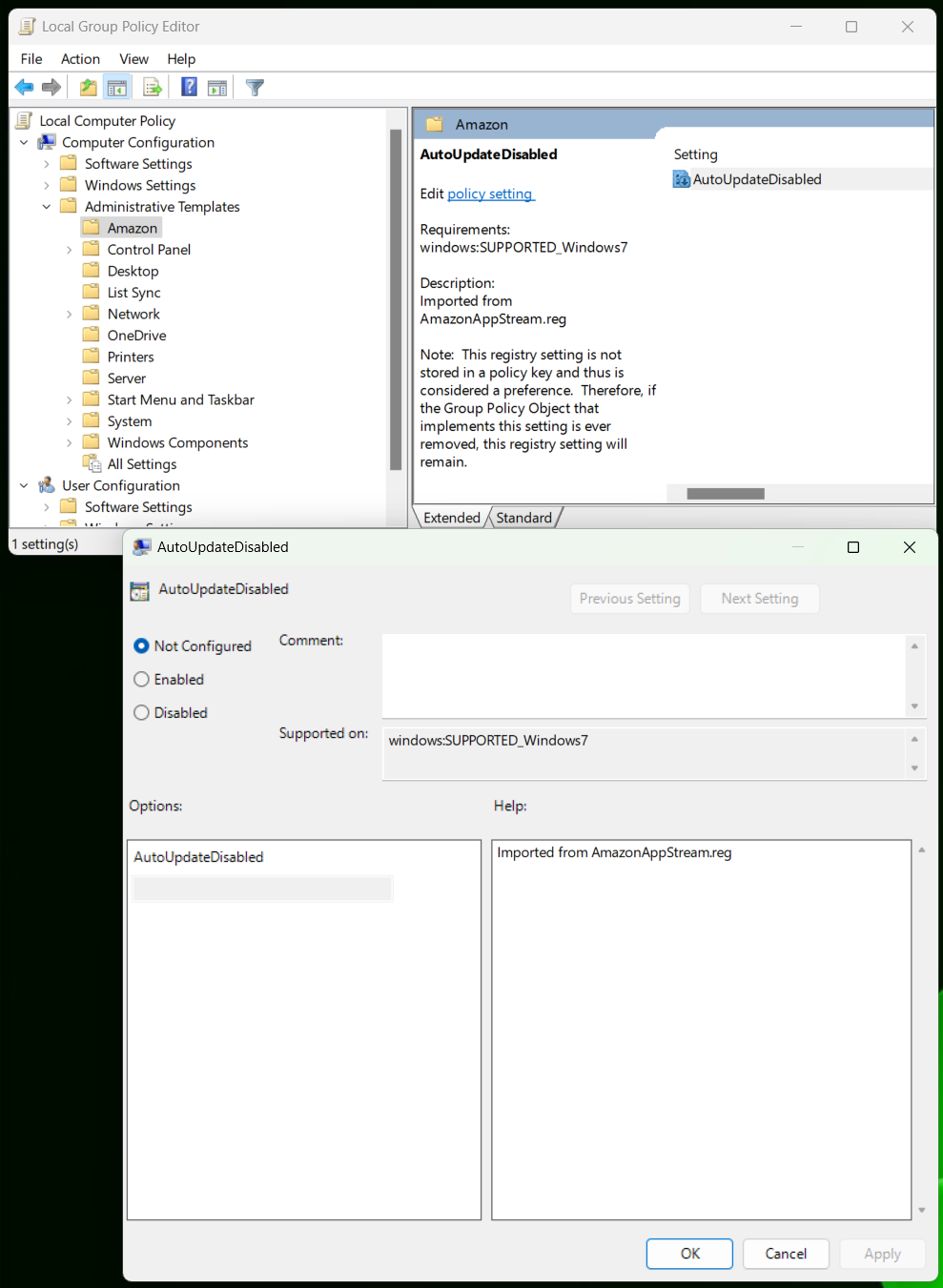
Docs
ADMX/L files for Microsoft products are usually baked into Windows/Intune, but vendors aren’t as lucky. They’re stuck offering download links and hoping admins notice new versions.
https://admx.help showed up a few years ago as an ad-supported community alternative. It offers a searchable web UI for common ADMX files, plus rendered settings and descriptions.
I couldn’t find the source to contribute new files though. Surely I could email the owner? No contact details anywhere so time for some OSINT.
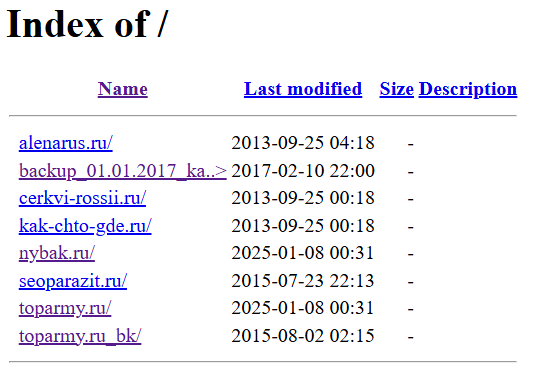
Historical whois/dns/bgp.tools found nothing. I remember when it was getadmx[.]com, but then the domain expired and was hijacked for porn/gambling. Its DNS had a bit more - before moving behind Cloudflare, it was hosted on a shared cPanel box in Russia. There’s an nginx open directory but any related files are long gone.
The oldest web.archive.org snapshot of getadmx.com is a bit more interesting. It has tons of features, surely it wasn’t launched like this? After hunting through a few search engines, I found winintro[.]com. Its snapshots show the launch of admx.help. And its past as an SEO farm… Back to whois/dns and we got a hit - sys-professional@yandex.ru. They owned ~20 SEO farm domains pointing at https://systemcenter.wiki and later https://admx.help. One farm is still around and promoting them too. https://systemcenter.wiki actually looks useful, but the domain expired a couple days ago. Not sure why they let their domains expire. I could email that address with some auto-translated Russian to find out, doubt they’ll be friendly though.